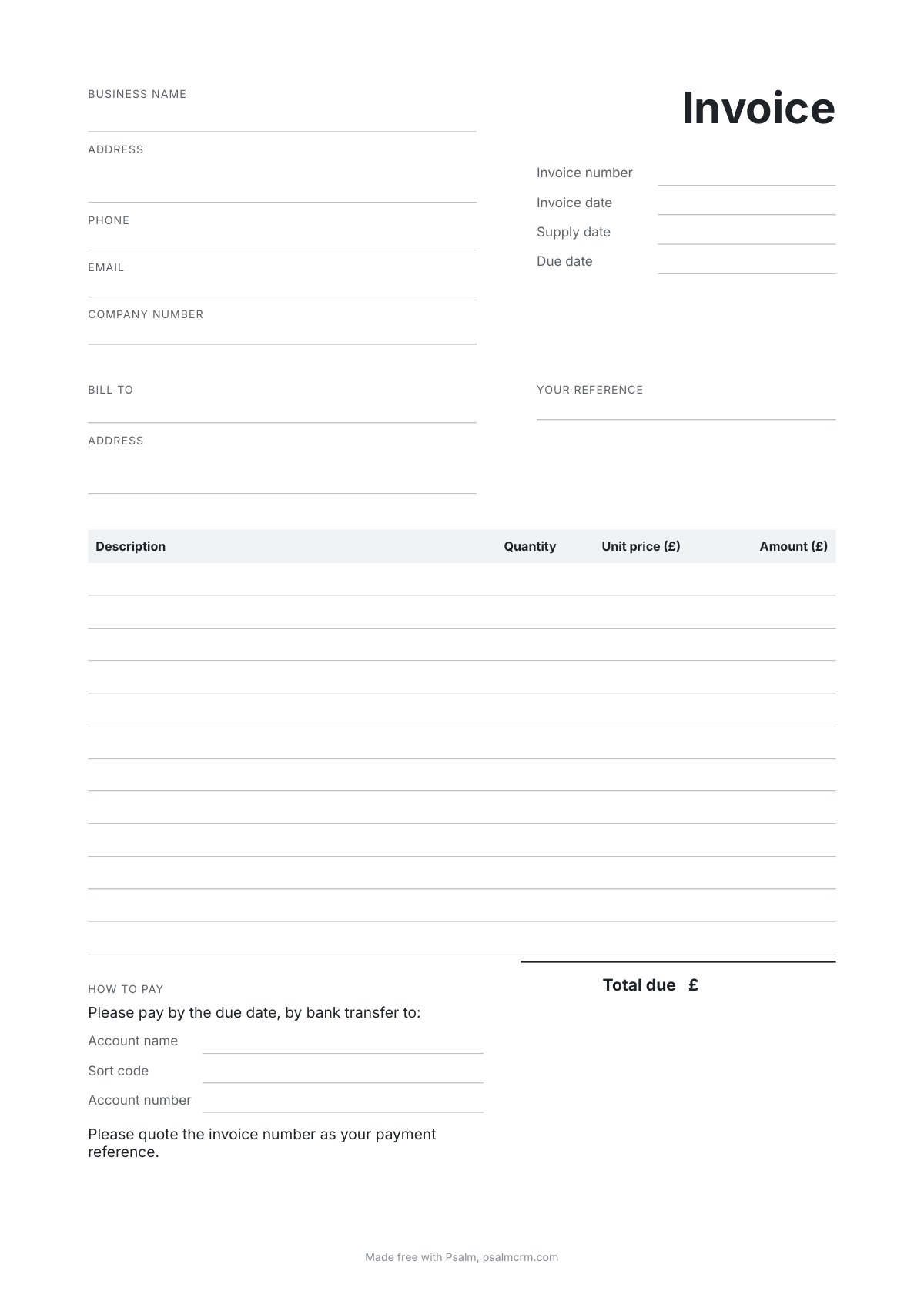
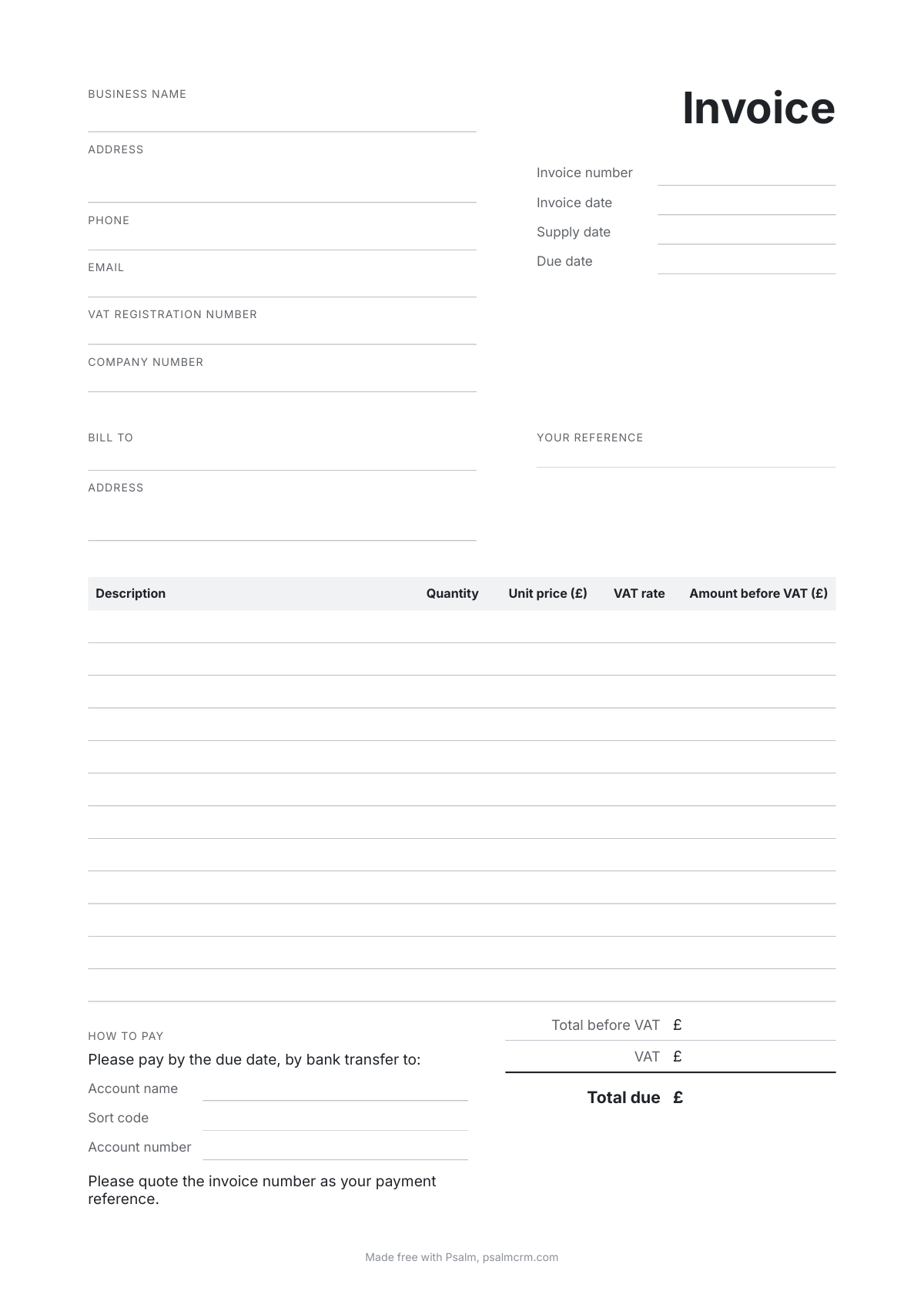
A short guide
What must a UK invoice include?
gov.uk says your invoice must include:
- a unique identification number
- your company name, address and contact information
- the company name and address of the customer you’re invoicing
- a clear description of what you’re charging for
- the date the goods or service were provided (supply date)
- the date of the invoice
- the amount(s) being charged
- VAT amount if applicable
- the total amount owed
A sole trader must also show their own name and any business name they use, and, when they trade under a business name, an address where legal documents can be delivered to them. A limited company must use its full name as it appears on its certificate of incorporation, and if it puts the names of its directors on its invoices, it must name all of them.
Source: gov.uk, Invoicing and taking payment from customers, checked on gov.uk on 6 October 2026.
What else does a VAT invoice need?
You must use VAT invoices if you and your customer are both VAT registered. HMRC's VAT Notice 700/21 lists what one must show, and the VAT template has a place for each:
- a number in a series that identifies the invoice and no other
- the time of the supply, and the date of issue when that is different
- your name, address and VAT registration number
- the name and address of the customer
- a description that identifies what was supplied
- for each line, the quantity, the unit price, the rate of VAT and the amount before VAT
- the total before VAT, and the total VAT in pounds sterling
- the rate of any cash discount you offer
Source: HMRC, VAT Notice 700/21, section 4.1, checked on gov.uk on 6 October 2026.
Which template should I use?
Use the plain template until you are registered for VAT. You have to register once your total taxable turnover goes over £90,000, or you expect it to. From the day you are registered, use the VAT template.
Source: gov.uk, How VAT works: VAT thresholds, checked on gov.uk on 6 October 2026.
How do I fill in the Word template?
Open it in Word. Every grey prompt, such as Your business name or Customer name, is a box: click it once and type, and the prompt goes. Write one line for each thing you are charging for, then add up the amounts and fill in the total. Delete any prompt you do not need, such as the company number if you are a sole trader, because a prompt left in prints as it is.
Before you send it, save it as a PDF (in Word, File, then Save As, and choose PDF), so your customer sees exactly what you see. Give the next invoice the next number: INV-0002 after INV-0001.
How long should I keep my invoices?
If you are VAT registered you must keep copies of all the invoices you issue, and keep your VAT records for at least six years. Save each finished PDF somewhere you will find it again.
Source: gov.uk, Keeping VAT records, checked on gov.uk on 6 October 2026.
Is there a quicker way than a template?
A template leaves the sums to you. The free invoice generator works out each line, the VAT and the total as you type, numbers each invoice after the last, puts your logo and bank details on, and holds the PDF back until the essentials are filled in.